Picture this: you’re lying in bed at 7 AM, your coffee is already brewing, your lights are slowly brightening like a personal sunrise, and you haven’t touched a single button. Sounds like something out of a sci-fi movie? It’s actually a Tuesday — and it cost you less than a pair of decent sneakers.
Here’s the truth nobody tells you: you don’t need to own a house, hire an electrician, or max out your credit card to have a smart home. With just $100 and about 45 minutes, you can turn your apartment into a genuinely smarter, cozier, and more convenient place to live.
No drilling. No damage to your deposit. No degree in computer science.
Let’s do this.
Why Apartments Are Actually Perfect for Smart Home Tech
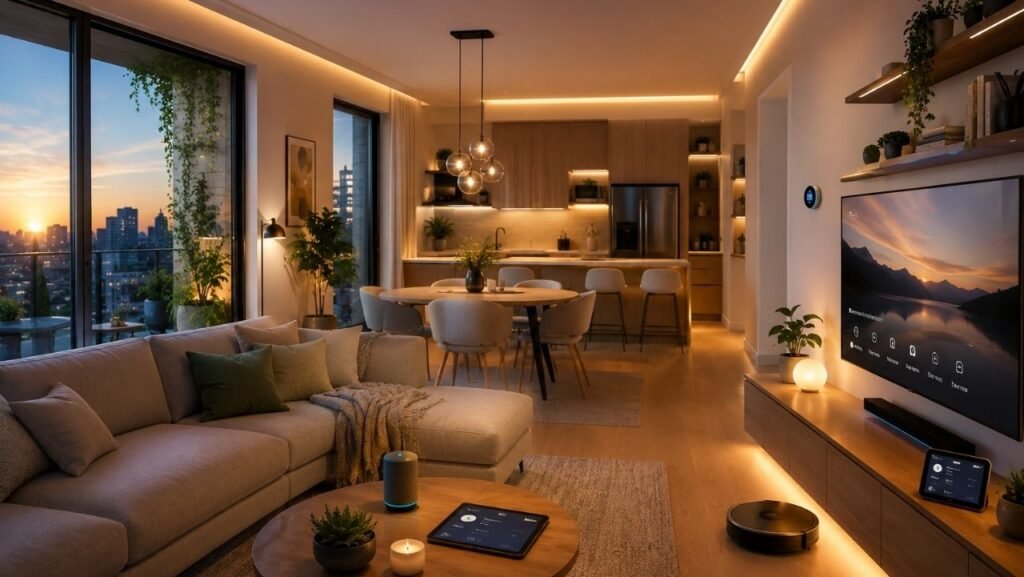
Most people assume smart home upgrades are only for homeowners with big budgets and bigger garages. But apartments? Secretly ideal. Here’s why:
- Plug-and-play — no installation, no tools, absolutely zero conversations with your landlord
- Renter-friendly — everything packs up and moves with you (unlike that wall shelf you regret installing)
- Affordable — the most impactful gadgets cost $15–$50 each
- Fast to set up — most take under 5 minutes. Yes, really.
The secret is knowing which gadgets actually make a difference — and which ones just make your charging drawer more chaotic. Spoiler: you don’t need much to feel a real upgrade.
Your $100 Smart Home Starter Pack
Here’s exactly how to spend your $100 for maximum impact. Every product is available on Amazon, renter-approved, and genuinely useful from day one.
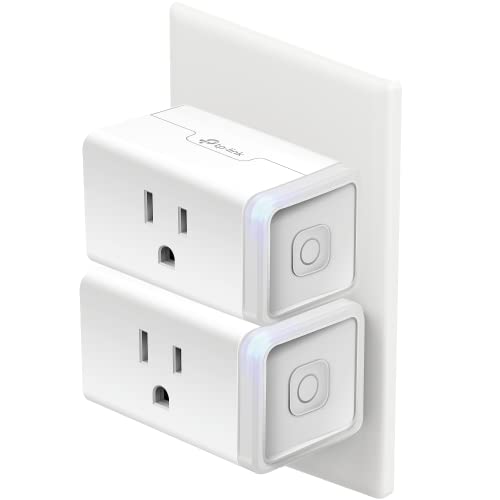
🔌 Step 1: Smart Plugs (~$15–$20 for a 2-pack)
Start here. Non-negotiable.
If smart home gadgets were a band, smart plugs would be the bassist — not always the star, but absolutely everything falls apart without them. They turn any regular lamp, fan, or appliance into a smart device you can control from your phone or with your voice.
Grab a 2-pack of Kasa Smart Plugs or Govee Smart Plugs on Amazon for around $15–$20. You’ll use both immediately and wonder how you lived without them.
What to plug in:
- Bedside lamp → schedule it to turn off automatically at bedtime (no more falling asleep with the lights on like a college student)
- Coffee maker → starts brewing before your alarm goes off. Life. Changed.
- Fan or air purifier → control it from the couch without getting up mid-Netflix
Real-life win: The first morning your coffee is already made when you shuffle into the kitchen is the morning you become a smart home evangelist. Fair warning.
Budget so far: ~$18 ✅


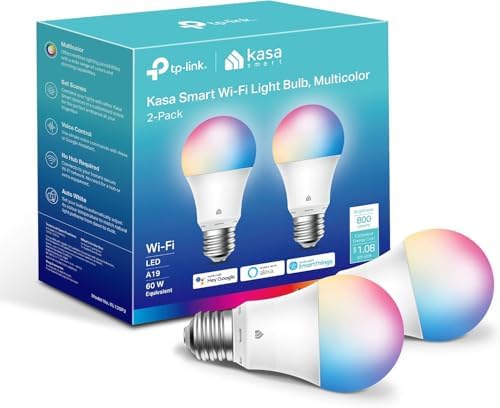
💡 Step 2: Smart Bulbs (~$20–$25 for a 2-pack)
Here’s something nobody talks about enough: lighting has a massive impact on how a space feels. Bad lighting makes even a nice apartment feel like a sad office. Good lighting makes a studio apartment feel like a boutique hotel.
Smart bulbs let you dial in exactly the right brightness and warmth for any moment — no rewiring, no electrician, just screw them in and download an app.
Best picks on Amazon: Kasa Smart Bulbs, Govee Smart Bulbs, or Meross Smart Bulbs. Around $10–$12 per bulb, often in 2-packs.
Where to put them:
- Living room lamp → warm and dim for evenings, bright for working from home
- Bedroom lamp → energizing in the morning, soft red-toned light at night to help you actually fall asleep
Scenes worth creating:
- “Movie Night”: everything dims to 20% with one tap — because getting up to turn off the lights mid-film is chaos
- “Good Morning”: lights gradually brighten at your wake-up time like a gentle, non-annoying alarm
- “Bedtime”: all lights off at 11 PM whether you remember or not
Budget so far: ~$40 ✅


🎵 Step 3: Smart Speaker (~$30–$35)
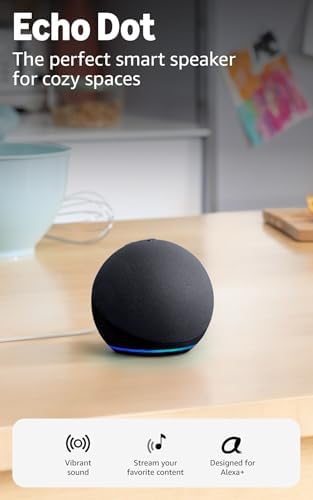
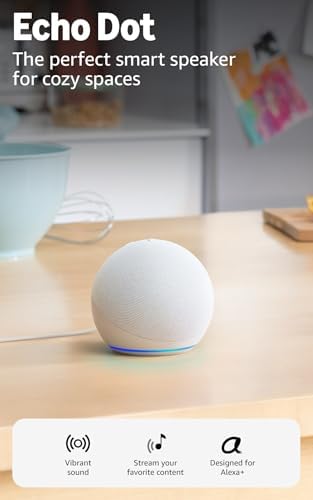
This is the moment your apartment stops being a collection of gadgets and starts being an actual smart home. An Amazon Echo Dot (5th Gen) costs around $30–$35 on Amazon and becomes the voice-controlled brain of your entire setup.
Once it’s plugged in:
- Control all your smart plugs and bulbs by voice (“Alexa, turn off the living room” never gets old)
- Play music, podcasts, or white noise without touching your phone
- Set timers while your hands are covered in cooking ingredients
- Get weather updates, shopping list reminders, and answers to questions you’re too lazy to Google
- Create routines — “Alexa, good morning” can turn on lights, start coffee, and play your favorite playlist simultaneously
Pro tip: Put it somewhere central — kitchen counter or living room. You’ll talk to it more than you expect. No judgment.
Budget so far: ~$73 ✅

🔒 Step 4: Choose Your Last Upgrade (~$25–$30)
You’ve got about $25–$30 left. Here’s how to spend it based on what matters most to you:
Option A: Smart Indoor Camera (~$25) — for the peace-of-mind person
The Blink Mini is around $25 on Amazon, easy to set up, and lets you check on your apartment from anywhere. Did you leave the stove on? (You didn’t. But you’ll check anyway.) Perfect for renters — no installation required.
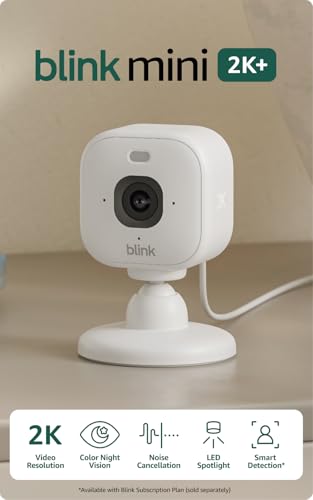
- Mini camera, max performance — Mini 2K+ is our third-generation compact plug-in camera, delivering sharper 2K video reso…
- See everything, miss nothing — With 2K video resolution, expansive coverage, and up to 4x zoom, you’ll capture more deta…
- Two-way talk that feels natural — Enjoy improved audio with noise cancellation for clearer conversations around your hom…
Option B: Smart Door/Window Sensor (~$15–$20) — for the security-conscious renter
Brands like Aqara make small sensors that alert you when a door or window opens. Simple, effective, and works with Alexa, Google, and Apple HomeKit. Great if you can’t install a full smart lock.

- [Notes]An Aqara Hub is required and sold separately.(NOTE:Not support hubs from other brands.) Requires a secured 2.4 gi…
- [Proximity] For a sturdy connection, ensure that the Aqara Door and Window Sensor is within 400 inches of the Aqara Zigb…
- [Unauthorized Entry Detection & Home Automation] The Zigbee Door Sensor alerts your phone and triggers the Aqara Hub’s l…
Option C: White Noise Machine (~$25) — for the light sleeper
Not technically “smart” but genuinely life-changing. A LectroFan or Marpac Dohm produces consistent sound that drowns out noisy neighbors, street traffic, or the mysterious 3 AM sounds your building makes. Sleep quality upgrade: immense.
Final budget: ~$95–$100 ✅
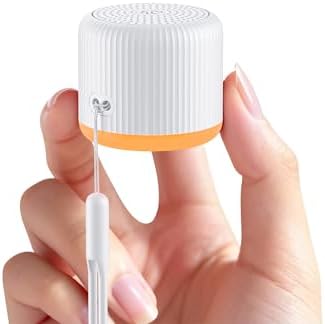
- 【Travel Size Sound Machine】This Portable Sound Machine is the smallest on the market, measuring only 1.6*1.6*1.7 inches….
- 【15 Non-Looping Sounds】The white noise sound machine offers a variety of soothing natural sounds, including white noise,…
- 【Full White Noise Functionality】The travel sound machine features 5 shutdown timers, memory function, 32 volume levels, …
Your Complete $100 Smart Apartment Setup
| Gadget | Best Pick on Amazon | Cost | Impact |
|---|---|---|---|
| Smart Plugs (x2) | Kasa or Govee 2-pack | ~$18 | ⭐⭐⭐⭐⭐ Essential |
| Smart Bulbs (x2) | Kasa or Govee 2-pack | ~$22 | ⭐⭐⭐⭐⭐ Transforms the vibe |
| Smart Speaker | Echo Dot 5th Gen | ~$39 | ⭐⭐⭐⭐⭐ The brains of the operation |
| Camera / Sensor / White Noise | Blink Mini or LectroFan | ~$25 | ⭐⭐⭐⭐ Your call |
| Total | ~$98 | One very happy apartment |
How to Set Everything Up (In the Right Order)
Setup is easier than assembling IKEA furniture. Much easier. Here’s the order:
- Smart speaker first. Download the Alexa or Google Home app, plug it in, follow the setup. This is your command center — get it running before anything else.
- Smart plugs next. Plug in, open the Kasa or Govee app, connect to Wi-Fi in about 2 minutes. Then add them to your Alexa or Google Home app.
- Smart bulbs. Screw in, open the app, connect. Name them clearly: “Living Room Lamp”, “Bedroom Light” — not “Light 1” and “Thing” like some people do (we don’t judge, but also we do a little).
- Build your first routine. Open Alexa or Google Home, go to Routines, create a “Good Morning” routine. First time it runs, you will feel unreasonably accomplished.
- Add your final gadget. Camera, sensor, or white noise machine — follow the app instructions and you’re done.
Total time: 30–45 minutes. Less than a mediocre movie.
4 Routines to Set Up Immediately
These will make your daily life noticeably better starting from day one:
☀️ Good Morning
Trigger: Your alarm time
What happens: Bedroom light brightens gradually, coffee maker starts, your favorite playlist begins
🌙 Good Night
Trigger: “Alexa, good night” or a set time
What happens: All lights off, white noise on, phone charging reminder (if you forget like the rest of us)
🎬 Movie Night
Trigger: Voice command or one tap
What happens: Living room light dims to 20%, warm color temperature — instant cinema vibes
🏠 Leaving Home
Trigger: Voice command or scheduled time
What happens: All plugs and lights off automatically. No more “wait, did I leave the fan on?” calls on the way to work.
Frequently Asked Questions
Will my landlord have a problem with any of this?
Nope. Everything here is 100% plug-and-play. No drilling, no wall damage, no modifications. Your landlord will never even know — and your deposit is safe.
Do I need special Wi-Fi or a smart home hub?
No hub needed. Everything connects directly to your standard home Wi-Fi (2.4GHz). If your Wi-Fi works for Netflix, it works for this.
What if I use Apple instead of Alexa or Google?
Meross products work with Apple HomeKit, which is great for iPhone users. Just make sure to check the product listing for HomeKit compatibility before buying.
Can I expand this setup later?
Absolutely — and you will. Once you have the basics in place, adding new devices takes minutes. Think of your $100 starter pack as the foundation. The fun part is building on top of it.
Is this actually worth it or am I just going to use it for a week and forget?
Fair question. The honest answer: smart plugs and a speaker become part of daily life almost immediately. Routines especially — once your morning runs on autopilot, going back feels genuinely inconvenient.
Final Thoughts
A smarter apartment doesn’t require a big house, a tech obsession, or a budget that makes you wince. It just requires the right starting point — and $100 gets you genuinely far.
Start with the plugs and the speaker. Add the bulbs. Set up your routines. Within a week, your apartment will feel like a different place — more comfortable, more effortless, and just a little bit magical.
And the absolute best part? When you eventually move (because rent, obviously), every single piece comes with you. Your smart home travels. 🏠
Enjoying these guides? Explore more honest smart home tips, gadget reviews, and Amazon finds on Inovateia — practical tech for real people.