You spent weeks researching, hours setting everything up, and a good chunk of money on gadgets that were supposed to make your life easier. For the first few weeks? Pure magic. The lights turn on automatically, the thermostat knows your schedule, and you feel like you’re living in the future.
Then, somewhere around month four or five, things start to quietly fall apart. The automations stop running. The app gets ignored. The smart bulbs get controlled manually because it’s just faster. And eventually, the whole system sits there — technically working, but completely unused.
This happens to a lot of people. And the good news is, it’s almost always avoidable. Here’s why smart homes fail and exactly how to keep yours going strong.
1. 😵 Too Many Apps, Too Much Friction
This is the number one killer of smart home enthusiasm. You buy a smart bulb that needs one app, a thermostat that needs another, a security camera that needs a third, and suddenly your phone looks like the control room of a nuclear facility.
When controlling your home requires opening three different apps, people give up. Every extra step between you and what you want to do is a reason to just do it manually.
The fix: Pick one ecosystem and stick to it. Whether that’s Google Home, Apple HomeKit, or Amazon Alexa — choose one hub and only buy devices that work with it. Consolidating everything into a single app makes a massive difference in how often you actually use it.
2. 🔧 Automations That Made Sense in Theory But Not in Real Life
Setting up automations is exciting. “The lights will turn on at sunset! The heating adjusts when I leave! Everything happens automatically!” And then real life intervenes.
You work from home one day and the thermostat drops because it thinks you left. The lights turn on at sunset but you’re not in that room. The automation that seemed brilliant at 11pm on a Tuesday feels annoying by the third week.
The fix: Start with simple, high-value automations and add complexity slowly. The best automations are the ones you never notice because they always do the right thing. “Turn off all lights when everyone leaves the house” — that one almost always works. “Turn on the kitchen lights at 7:14am unless it’s a weekend unless it’s raining” — that one is going to cause you problems.
Keep it simple. Refine over time.
3. 📶 Wi-Fi and Connectivity Problems
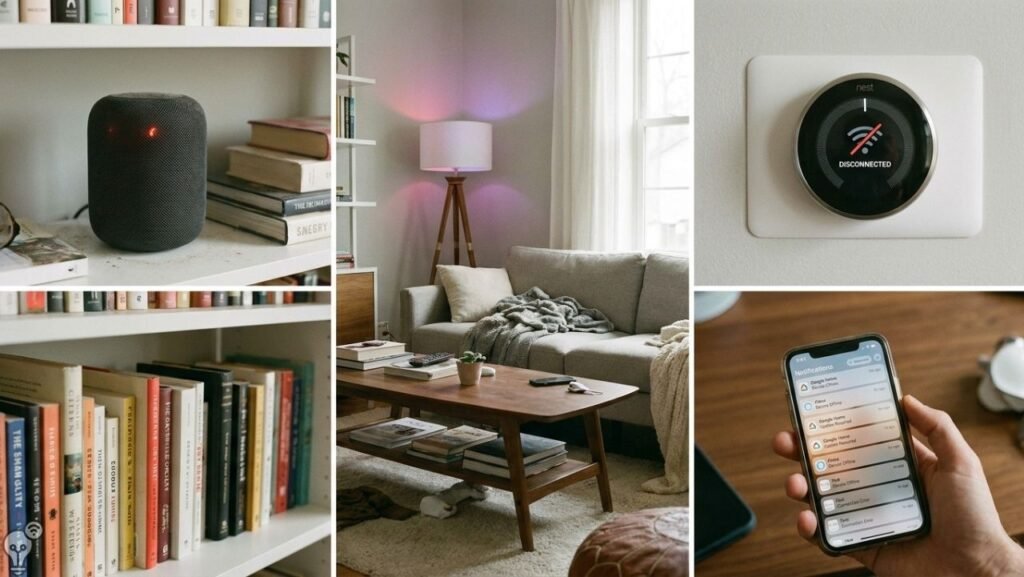
Smart home devices are only as smart as your Wi-Fi. A weak signal, a crowded network, or a router that occasionally restarts can make your entire setup feel unreliable. And nothing kills enthusiasm faster than lights that sometimes respond and sometimes don’t.
It’s also worth knowing that many smart home devices prefer a 2.4GHz network rather than 5GHz. If your router combines them under one name, some devices will struggle to connect properly.
The fix: Make sure your router covers your whole home. If you have dead zones, a mesh Wi-Fi system makes a huge difference. Also consider separating your smart home devices onto a dedicated network — most modern routers let you create a guest network specifically for smart devices, which keeps them stable and your main network fast.
4. 🔋 Dead Batteries and Ignored Maintenance
Smartness doesn’t eliminate the need for basic maintenance — it just makes you forget about it until something stops working. Smart locks with dead batteries. Motion sensors that stopped responding months ago. A smart doorbell that hasn’t been charged since January.
When things stop working and you don’t notice for a while, it breaks trust in the whole system.
The fix: Set a monthly reminder to check your devices. Most smart home apps have a battery level indicator — make it a habit to check it. Five minutes once a month keeps everything running reliably.
5. 🙅 Other People in the House Don’t Use It
You set everything up perfectly. Your partner just turns the light switch off manually and somehow breaks the automation. Your kids don’t want to talk to a speaker. Your guests have no idea how anything works.
When a smart home only works for the person who set it up, it’s fragile. One person using manual overrides constantly can disrupt the whole system.
The fix: Involve everyone from the start. Keep the most important controls simple and accessible — a well-placed smart button or a simple routine everyone knows about goes a long way. And accept that some rooms or devices might need to stay manual for the people who prefer it. A smart home that works for everyone is better than a perfect system that only one person uses.
6. 📱 Apps That Stop Getting Updated
This one is painful but real. You invest in a smart home ecosystem built around a brand’s app, and then the brand gets acquired, pivots, or just stops caring. The app stops working properly, devices lose features, and eventually everything breaks.
It has happened to popular brands more than once.
The fix: Stick to established ecosystems with long track records — Google Home, Apple HomeKit, Amazon Alexa, or open-source platforms like Home Assistant. Avoid building your entire setup around a single brand’s proprietary app, especially smaller companies. Devices that work with multiple platforms give you flexibility if one ecosystem changes.
7. 🎯 Buying Gadgets Without a Clear Purpose
The smart home gadget market is full of cool things that don’t actually solve a real problem. A smart toothbrush. A connected coffee maker you never adjust. A presence sensor that keeps triggering when the cat walks past.
Buying gadgets for the novelty wears off fast. When a device doesn’t make a meaningful difference in your daily life, it gets ignored — and it takes your enthusiasm with it.
The fix: Before buying anything, ask one simple question: “What annoying thing will this fix?” If you can’t answer that clearly, don’t buy it yet. The best smart home is built around real problems — not cool technology looking for a problem to solve.
The Simple Formula for a Smart Home That Lasts
Here’s what works long term:
- One ecosystem — all your devices talk to each other in one app
- Simple automations — do the obvious things automatically and do them reliably
- Good Wi-Fi — a stable foundation for everything else
- Buy with purpose — only add devices that solve a real problem
- Monthly check-in — five minutes to make sure everything is working
That’s it. The people who have smart homes that still work perfectly two or three years later aren’t the ones with the most gadgets. They’re the ones who kept it simple, kept it maintained, and built it around their actual lives — not around what looked cool in a YouTube video.
FAQ
Why do smart home devices stop working over time?
Most issues come from connectivity problems, dead batteries, outdated apps, or automations that no longer fit your lifestyle. Regular maintenance and a stable Wi-Fi network fix most problems.
What’s the most reliable smart home ecosystem?
Google Home, Amazon Alexa, and Apple HomeKit are the most established and reliably supported options. For maximum flexibility, Home Assistant (open-source) is the most powerful but requires more setup.
How many smart home devices is too many?
There’s no magic number, but if managing your setup feels like a part-time job, you have too many. A well-chosen set of 5-10 devices that all work together reliably beats 30 devices across 6 apps every time.
Can a smart home work reliably in a rented apartment?
Absolutely. Smart plugs, smart bulbs, and portable smart speakers require no installation and work in any home. Start there.
Want to build a smart home that still works brilliantly a year from now? Start with the basics, keep it simple, and build from there. Browse more smart home guides on Inovateia.