If you’ve been curious about smart home tech but don’t know where to start, smart plugs are hands-down the best first step. They’re affordable, easy to set up, and instantly make any regular appliance smarter — no electrician, no complicated installation, no tech degree required.
But here’s the problem: there are hundreds of smart plugs on Amazon, and not all of them are worth your money. Some are clunky, some have terrible apps, and some just stop working after a few months. That’s why we did the research for you.
In this guide, you’ll find the best smart plugs for beginners in 2026 — simple to use, reliable, and genuinely useful for everyday life.
What Is a Smart Plug and Why Do You Need One?
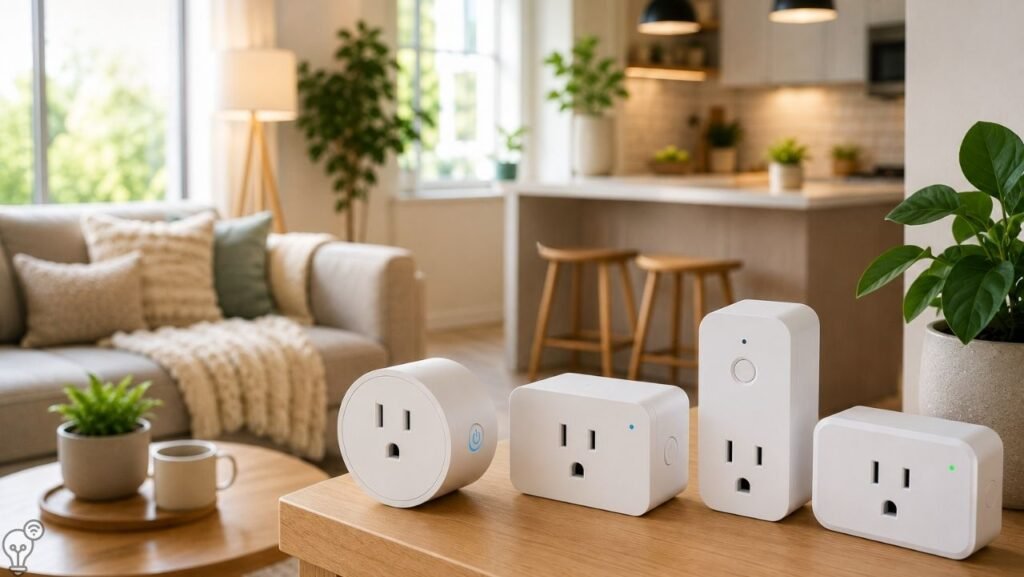
A smart plug is a small device that sits between your regular appliance and the wall outlet. Once plugged in, it connects to your home Wi-Fi and lets you control that appliance remotely — from your phone, a voice assistant like Alexa or Google Assistant, or on a set schedule.
So that old lamp in your living room? Suddenly it turns on automatically at sunset. Your coffee maker? It starts brewing before you even get out of bed. The fan you left running all day while you were at work? You can turn it off from your phone.
Smart plugs are the easiest, cheapest way to dip your toes into smart home living — and once you try one, you’ll want them everywhere.
What to Look for When Buying a Smart Plug
Before jumping into the picks, here’s what actually matters:
- Wi-Fi compatibility: Most smart plugs use 2.4GHz Wi-Fi. Make sure your router supports it (most do).
- Voice assistant support: Look for plugs that work with Alexa, Google Assistant, or Apple HomeKit depending on what you use.
- App quality: A good app makes setup and daily use painless. A bad one will make you want to throw the plug out the window.
- Energy monitoring: Some smart plugs track how much electricity your appliances use — great for saving money.
- Size: A bulky plug can block the second outlet on your wall socket. Check the dimensions before buying.
- Safety certifications: Look for ETL or UL listed products — this means they’ve been tested for safety.
Best Smart Plugs for Beginners in 2026
🥇 1. Amazon Smart Plug — Best Overall for Beginners
Best for: Anyone already using Alexa
If you have an Echo device or plan to get one, the Amazon Smart Plug is the no-brainer choice. Setup takes literally two minutes — you just say “Alexa, set up my smart plug” and it walks you through everything. No app needed, no complicated steps.


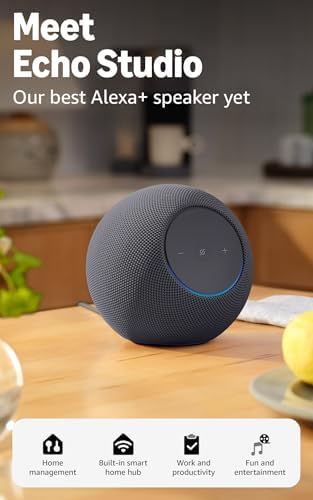
It works seamlessly within the Alexa ecosystem, so you can create routines, group it with other devices, and control it completely hands-free. The compact design means it won’t hog your second outlet either.
Pros:
- Incredibly easy setup with Alexa
- Compact, doesn’t block second outlet
- Very affordable
- Reliable and well-reviewed
Cons:
- Only works with Alexa (not Google or HomeKit)
- No energy monitoring
Who it’s for: Alexa users who want the simplest possible setup experience.

- The information below is per-pack only.
- Amazon Smart Plug works with the Alexa app and compatible Alexa devices to add voice control to any electrical outlet.
- Simple setup – No smart home hub required. Just plug it in, open the Alexa app and follow the stress-free directions to …
🥈 2. Kasa Smart Plug (TP-Link EP25) — Best Value
Best for: Most people — works with Alexa AND Google
Kasa by TP-Link consistently makes some of the best-reviewed smart plugs on Amazon, and for good reason. The EP25 works with both Alexa and Google Assistant, has a clean and reliable app, and — here’s the bonus — includes energy monitoring so you can see exactly how much electricity your devices are using.
It’s a little larger than the Amazon plug but still fits most outlets without blocking the second socket. For the price, it’s genuinely hard to beat.
Pros:
- Works with Alexa and Google Assistant
- Built-in energy monitoring
- Excellent Kasa app
- Very affordable and reliable
Cons:
- Slightly bulkier than some competitors
- No Apple HomeKit support
Who it’s for: Anyone who wants great value, energy tracking, and flexibility across voice assistants.
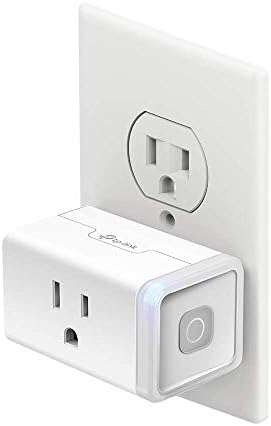
- Voice control: Kasa smart plugs that work with Alexa and Google Home Assistant. Enjoy the hands-free convenience of cont…
- Smart Outlet Control from anywhere: Turn electronics on and off your smart home devices from anywhere with your smartpho…
- Scheduling: Use timer or countdown schedules to set your wifi smart plug to automatically turn on and off any home elect…
🥉 3. Eve Energy Smart Plug — Best for Apple HomeKit Users
Best for: iPhone and Apple Home users
If you’re an iPhone user and want your smart plug to work natively with Apple Home and Siri, the Eve Energy is the one to get. It supports HomeKit without needing a separate hub, includes detailed energy consumption reports, and is built with privacy in mind — all processing happens locally, nothing goes to the cloud.
It’s pricier than the others, but if you’re in the Apple ecosystem, the seamless integration is absolutely worth it.
Pros:
- Native Apple HomeKit support
- Excellent energy monitoring
- Privacy-focused (local processing)
- Premium build quality
Cons:
- More expensive
- Doesn’t support Google Assistant or Alexa natively
Who it’s for: Apple users who want a polished, privacy-conscious smart plug experience.

- Eve Energy requires iOS/iPadOS 16.4 (or later) or Android 8.1 (or later) plus a hub of your chosen platform:
- Apple: Apple TV 4K (2nd gen), Apple TV 4K (3rd gen, 128 GB), HomePod (2nd gen), HomePod mini / Samsung: SmartThings Hub …
- Switch your lights and appliances on and off using your voice or an app, and control your appliances on the go or based …
4. Meross Smart Plug — Best Budget Pick
Best for: Trying smart plugs without spending much
If you’re not sure whether smart plugs are for you and want to test the waters without a big investment, Meross is one of the best budget-friendly options consistently available on Amazon. They work with Alexa, Google Assistant, AND Apple HomeKit — which is impressive at this price point — and often come in convenient multi-packs.
The app is clean and easy to use, setup is straightforward, and they’ve built a solid reputation for reliability. For the price, Meross punches well above its weight.
Pros:
- Very affordable, often sold in multi-packs
- Works with Alexa, Google AND Apple HomeKit
- Clean, easy-to-use app
- Reliable and well-reviewed on Amazon
Cons:
- No energy monitoring
- Build feels slightly less premium than Kasa
Who it’s for: Budget shoppers who want to outfit multiple rooms without spending much — and want HomeKit compatibility as a bonus.
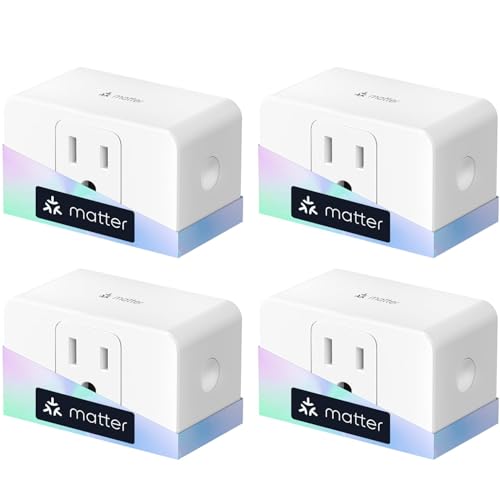
- ✅【Matter Multi-platform Compatibility】Discover the power of Matter! Never limited to any platform anymore. Matter plug w…
- ✅【Insightful Energy Monitoring】Track real-time power consumption and access historical data with the built-in power mete…
- ✅【Zero Touch Setup with Echo】Frustration free setup for Matter and Alexa, no more complicated setup! Just one step to po…
5. Wemo Mini Smart Plug — Best for Simplicity
Best for: People who hate complicated setups
Wemo has been making smart home products for years and is known for reliability and a dead-simple setup experience. The Mini is compact, works with Alexa, Google Assistant, and Apple HomeKit, and the Wemo app is clean and intuitive. It’s one of the few plugs that works across all three major voice ecosystems.
Pros:
- Works with Alexa, Google, AND Apple HomeKit
- Compact design
- Very reliable long-term performance
- Simple, clean app
Cons:
- Slightly more expensive than Kasa
- No energy monitoring
Who it’s for: Anyone who wants maximum compatibility and a hassle-free experience.

- VOICE Control Wemo hands-free using your voice
- PROTECT Enable Away Mode and look like you’re home even when you’re not.
- SCHEDULE Control and schedule lights and appliances from anywhere.
Quick Comparison
| Smart Plug | Works With | Energy Monitor | Best For |
|---|---|---|---|
| Amazon Smart Plug | Alexa only | No | Alexa beginners |
| Kasa EP25 | Alexa + Google | Yes | Best overall value |
| Eve Energy | Apple HomeKit | Yes | iPhone users |
| Meross | Alexa + Google | No | Budget shoppers |
| Wemo Mini | Alexa + Google + HomeKit | No | Max compatibility |
How to Set Up a Smart Plug (It’s Easier Than You Think)
- Plug it into your wall outlet — that’s literally step one done.
- Download the companion app (Alexa, Kasa, Wemo, etc.) on your phone.
- Follow the in-app setup — it usually takes 2–5 minutes and just requires your Wi-Fi password.
- Name your plug something logical like “Living Room Lamp” or “Coffee Maker.”
- Start controlling it from your phone or with your voice.
That’s it. No tools, no wiring, no YouTube tutorials needed.
Frequently Asked Questions
Do smart plugs work with any appliance?
Yes, as long as the appliance plugs into a standard wall outlet. However, avoid using smart plugs with high-wattage appliances like space heaters or air conditioners unless the plug is specifically rated for that load.
Do smart plugs use electricity when idle?
Yes, but very little — typically around 1–2 watts. Over a year, that’s less than $2 in electricity costs.
Can smart plugs save money on my electricity bill?
Absolutely. By scheduling devices to turn off automatically and using energy monitoring to spot power-hungry appliances, many people see a noticeable reduction in their bills.
Do smart plugs work without Wi-Fi?
The remote and voice control features require Wi-Fi, but the physical on/off button on the plug itself always works.
Is it safe to leave smart plugs on all the time?
Yes, as long as you buy a certified product (ETL or UL listed). Quality smart plugs are designed to run 24/7 safely.
Our Verdict
If you’re just getting started with smart home tech, smart plugs are the perfect entry point — and the Kasa Smart Plug (EP25) is our top recommendation for most people. It’s reliable, works with both Alexa and Google, includes energy monitoring, and won’t break the bank.
Already in the Alexa world? The Amazon Smart Plug is the easiest possible setup. iPhone user? Go with the Eve Energy. Want to try multiple rooms on a budget? Grab a Meross multi-pack.
Start with one. We promise you’ll want more. 🔌
Found this helpful? Explore more smart home guides on Inovateia — your go-to source for practical gadgets and modern living tips.