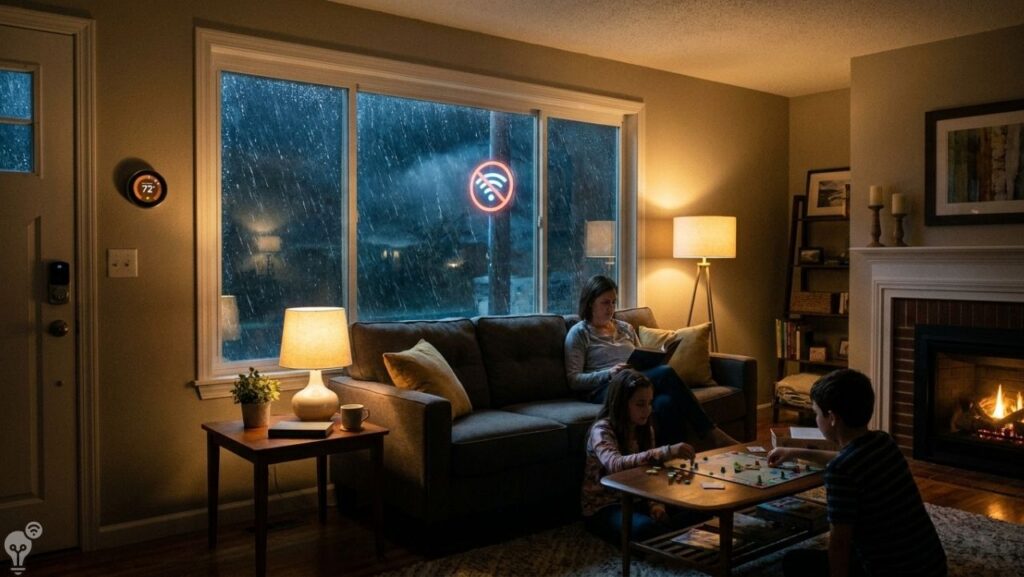
Picture this: it’s a stormy Friday evening, the internet goes out, and suddenly half your smart home just… stops. The lights won’t respond. The speaker is silent. The thermostat shows a sad little “offline” message. You’re standing in your living room, waving your arms at a device that no longer cares you exist.
If you’ve lived this moment, you already know the dirty secret of smart home tech: a lot of it only works when your Wi-Fi does. But not all of it. There’s a whole category of smart gadgets designed to keep working even when your internet connection takes the day off — and knowing which ones they are can save you from a lot of frustration.
Here’s what actually keeps working when the internet goes down, and why it matters more than most people think.
Why Do Smart Home Devices Go Offline Anyway?
Before we get into the gadgets, it’s worth understanding why this happens.
Most smart home devices work in one of two ways. Either they send every command through the cloud — meaning your voice command goes from your phone to a server somewhere and back to your device — or they communicate locally, meaning your devices talk directly to each other on your home network without needing the internet at all.
Cloud-dependent devices are faster to develop and easier for manufacturers to update remotely. But they have one obvious weakness: no internet, no function.
Local-processing devices are more reliable but require a bit more setup. The good news is that the smart home industry has increasingly moved toward local control — partly because customers got tired of having their lights refuse to work during outages.
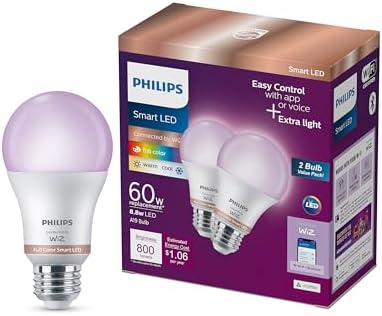
1. 💡 Smart Bulbs With Local Control
Not all smart bulbs are equal when it comes to offline reliability. The ones that work best without internet are those that connect directly to a local hub using Zigbee or Z-Wave protocols rather than Wi-Fi alone.
Bulbs that use Zigbee (like many Philips Hue bulbs paired with their Bridge) store your scenes, schedules, and automations locally on the hub itself. When your internet drops, the lights keep following their schedule. Motion sensors keep triggering. Scenes keep working. The only thing you lose is remote access from outside your home.
For most people in most situations, that’s a completely acceptable trade-off.
What to look for: Zigbee or Z-Wave compatible bulbs paired with a local hub. Avoid Wi-Fi-only smart bulbs if offline reliability matters to you.


2. 🌡️ Smart Thermostats With Local Scheduling
Good news on this front: most reputable smart thermostats store their schedules locally and keep running them without any internet connection. The Ecobee, Nest, and most other major brands will continue following your preset heating and cooling schedule even when offline.
What you lose without internet: remote control from outside your home, weather-based adjustments, and some AI-learning features. What you keep: a functioning thermostat that heats and cools your home on its normal schedule.
For day-to-day use, a Wi-Fi outage won’t leave you freezing. Your thermostat will just behave like a very competent non-smart thermostat until connectivity is restored.


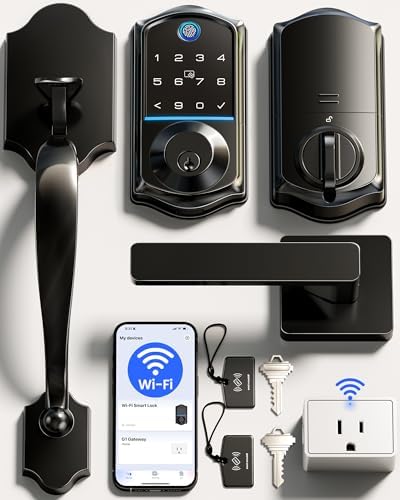
3. 🔒 Smart Locks
This is one of the most important categories to get right, for obvious reasons. A smart lock that stops working when the internet goes down is a serious problem — whether you’re locked out or can’t secure your home.
The good news: most quality smart locks are specifically designed to function offline. The keypad still works. The physical key backup still works. Any access codes you’ve already programmed still work. What you lose is the ability to add new codes or check the lock status remotely.
For the core function — locking and unlocking your front door — an internet outage changes nothing. This is exactly how it should be, and any smart lock you consider buying should work this way.


4. 📹 Local Storage Security Cameras
Cloud-based security cameras are the most vulnerable to internet outages. If your camera uploads footage to a server and you have no internet, you have no footage. During a storm — which is exactly when you might want your security cameras working — you could be completely blind.
The solution is cameras with local storage: an SD card slot or NAS (network attached storage) support. These cameras record directly to a local device, meaning they keep recording whether the internet is up or down. You can access the footage from your local network anytime.
Some cameras offer both — cloud backup when internet is available, local storage as a fallback. That’s the ideal setup.


5. 🎮 Matter-Compatible Devices — The Future of Offline Reliability
If you’re buying new smart home devices, Matter is the standard to look for. Matter is a relatively new, industry-wide smart home protocol that prioritizes local communication. Devices that support Matter are designed to work locally first, with cloud connectivity as a bonus rather than a requirement.
Apple, Google, Amazon, and Samsung all support Matter, which means a Matter device works across all four ecosystems and — crucially — keeps working locally when the internet is unavailable.
As more devices adopt Matter, the “everything stops when Wi-Fi drops” problem becomes much less common. If you’re building or upgrading your smart home, prioritizing Matter-compatible devices is one of the smartest long-term decisions you can make.


6. 🤖 Home Assistant — The Nuclear Option for Offline Control
If you want total control and maximum offline reliability, Home Assistant is the gold standard. It’s an open-source smart home platform that runs entirely on a local server in your home — a small device like a Raspberry Pi or a dedicated Home Assistant hardware box.
With Home Assistant, almost everything runs locally. Automations, device control, voice commands (with the right add-ons), camera footage, sensors — all of it lives on your network, not in someone else’s cloud. An internet outage has essentially no effect on your smart home functionality.
The trade-off is setup complexity. Home Assistant is not a plug-and-play solution — it rewards people who are willing to invest some time learning it. But once it’s running, it’s remarkably powerful and genuinely internet-independent.
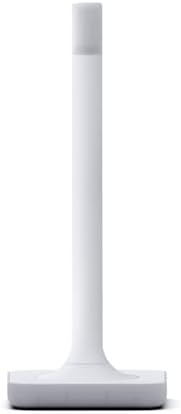
- **Note: Home Assistant system is required to connect and control Z-Wave devices**
- 📐 PRECISELY ENGINEERED – The antenna and base are precisely tuned to Z-Wave’s ideal wavelength, working in harmony to pr…
- ✅ LATEST Z-WAVE CHIPSET – Certified and includes the latest 800-series chipset, it supports all Z-Wave devices.
The Simple Rule: Local First, Cloud Second
You don’t need to rebuild your entire smart home around offline reliability. But the principle is worth keeping in mind every time you buy something new:
Does this device store and process its key functions locally, or does everything go through the cloud?
Devices that run locally first are more reliable, more private, and more resilient. Cloud features on top of that are a bonus. Cloud-only devices are a vulnerability — not just during outages, but also if the manufacturer shuts down their servers or changes their pricing.
A smart home that keeps working during a storm, a router restart, or an ISP outage isn’t just more convenient. It’s a smart home you can actually depend on.
Building a more reliable smart home? Browse the full collection of practical guides on Inovateia — honest advice for a home that actually works.